
AI Search and Ask Rightmove are new tools that allow you to search on Rightmove using natural language prompts. They are experimental features, currently available to a proportion of our website traffic. This article will guide you through how to use them, and help to answer any questions you might have.
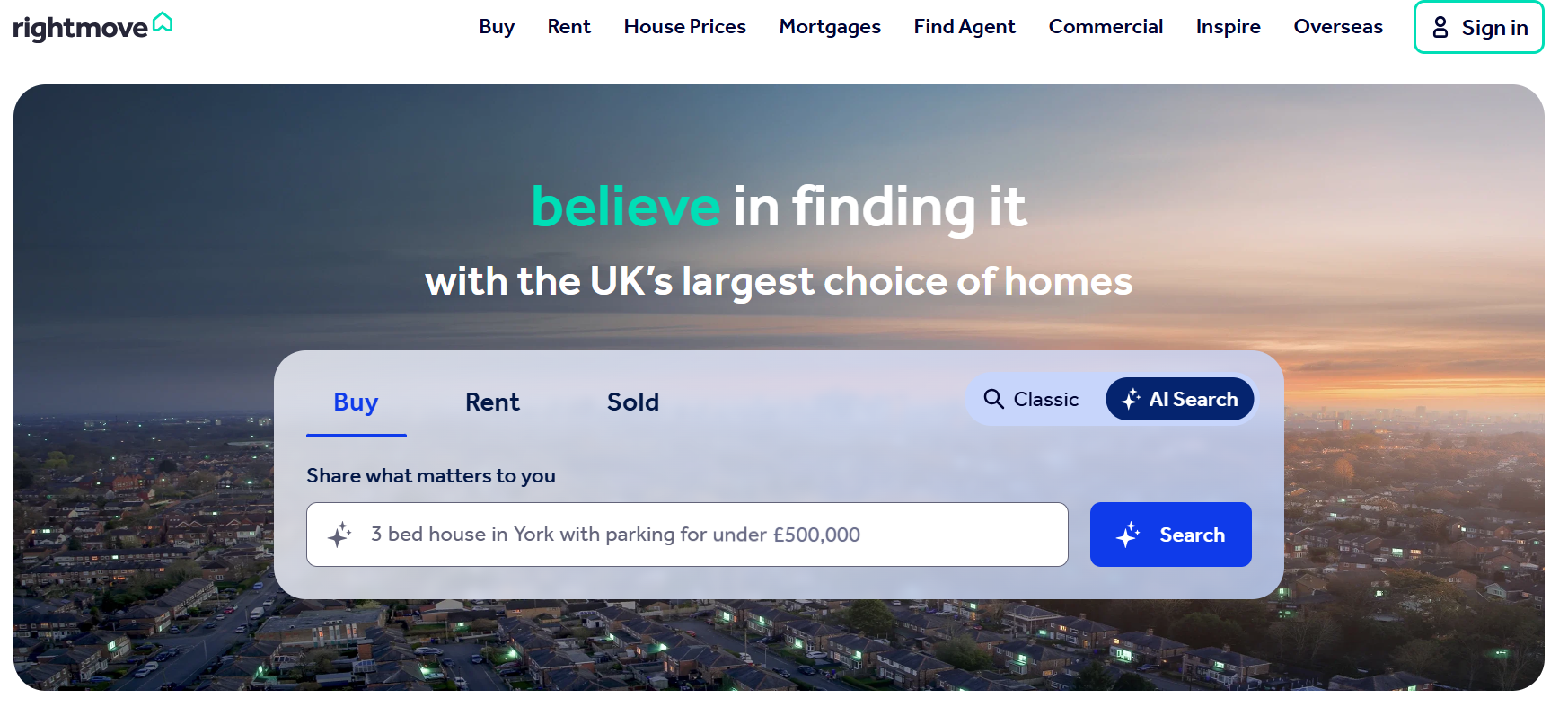
1. On the main search screen, you can toggle between 'Classic' and 'AI' search
2. Once 'AI search' is selected, you can type in your prompt to start your search and click 'search'
3. After you've clicked search, some property results that match your search will be generated. You can scroll through this carousel, view the results in full, or click on a property to take a look in more detail
4. The AI search chat will often include prompts and suggestions on how to narrow or widen your search, and you can continue this conversation in the chat window
5. For some users, you will see an 'Ask Rightmove' button on the search results page as well. You can click this to open and collapse the chat to continue your conversation in the AI search window, and use this to compare properties in your results. By default, the chat will compare all properties on the search results page you're currently on
6. For some users, on your search results page, you'll be able to enter 'Compare' mode by clicking the compare button near the top of the screen. From here, you can select up to 5 properties from any page in your search results to compare in a table. You can also ask the chat to add additional comparison criteria once the initial table has been generated
6. For some users, you will see an 'Ask Rightmove' button on a property page as well. You can click this to open and collapse the chat to continue your conversation in the AI search window.
How does AI Search work?
The AI search generates information supplied by the Estate Agents listing the property. It also generates information supplied by Google for location information about the local area for example, and data from Land Registry about Sold Prices. The search will show a 'sources' button alongside the message so you can see where the information has originated from if this is the case.
Can I switch it off?
It's not possible to switch off the experience entirely. It is possible to choose 'Classic' search on the main search screen, and continue your search as normal. Similarly you can keep the 'Ask AI' chat window closed during your search by not interacting with it if you wish.